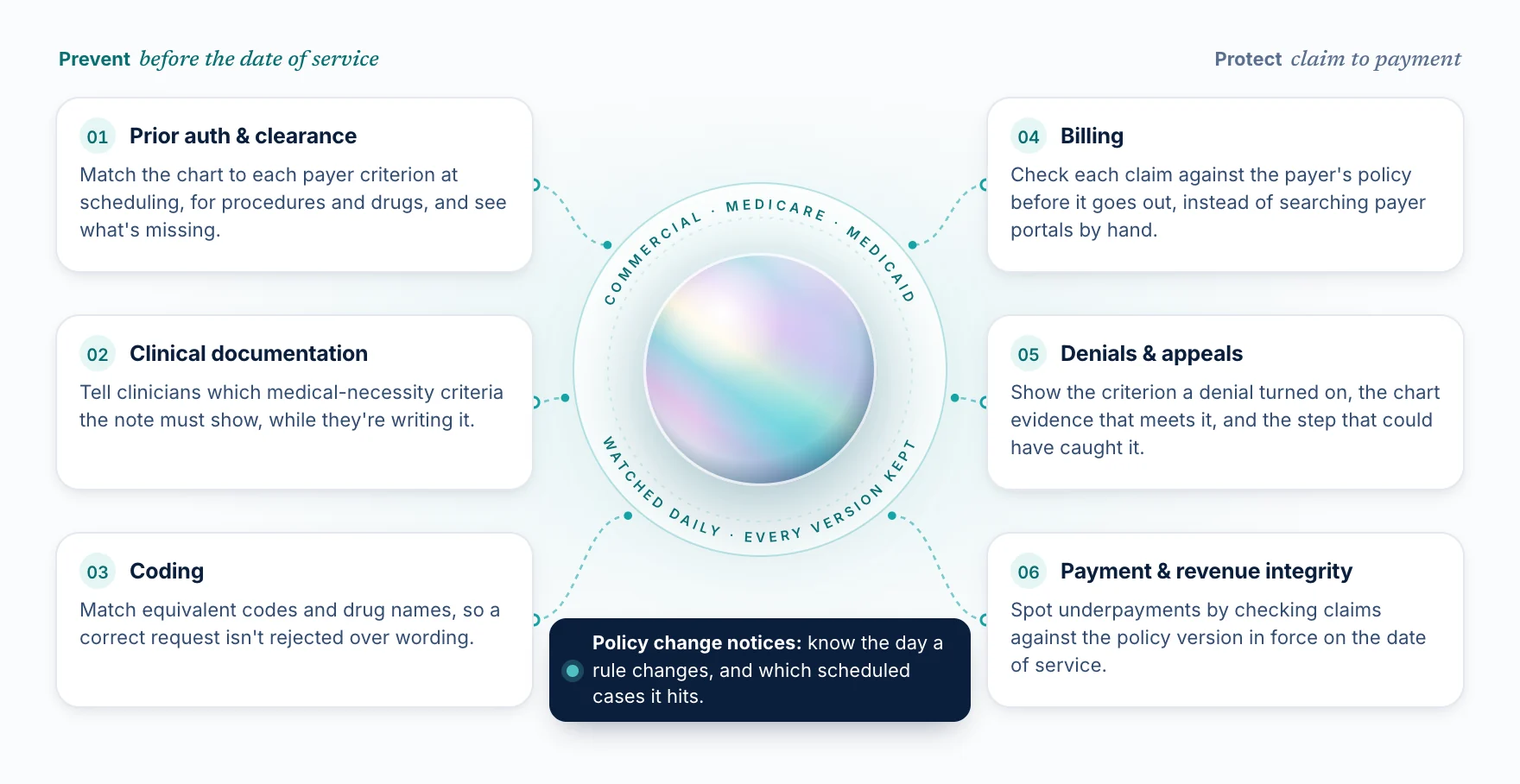
If your health system or RCM team is evaluating software for prior auth, denials, or appeals, every vendor demo will look good. They'll show a case, a policy, and a confident answer. The differences show up later: in an appeal, in an audit, or the month a payer quietly changes a policy.
These five questions get to those differences in the first meeting. Ask them of every vendor, including us.
1. Will the same case always get the same answer?
Many tools hand the payer's policy PDF to an AI model and ask it to interpret the policy for each case. This is often called AI + RAG (retrieval-augmented generation). It's genuinely useful for reading documents, but the model's interpretation can shift from one run to the next.
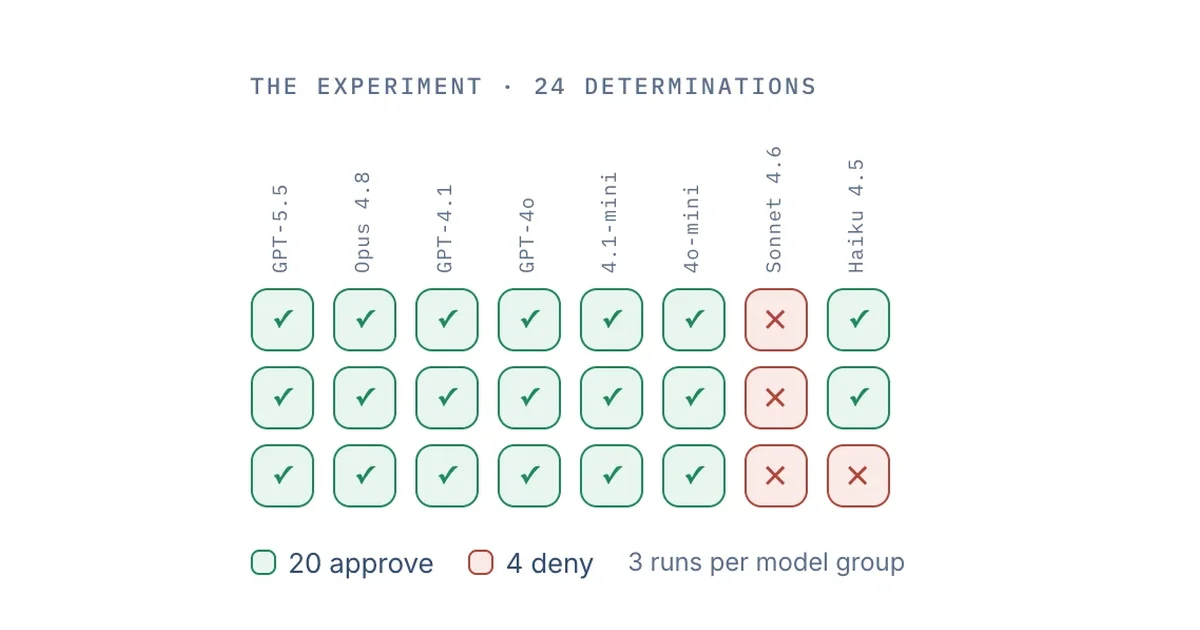
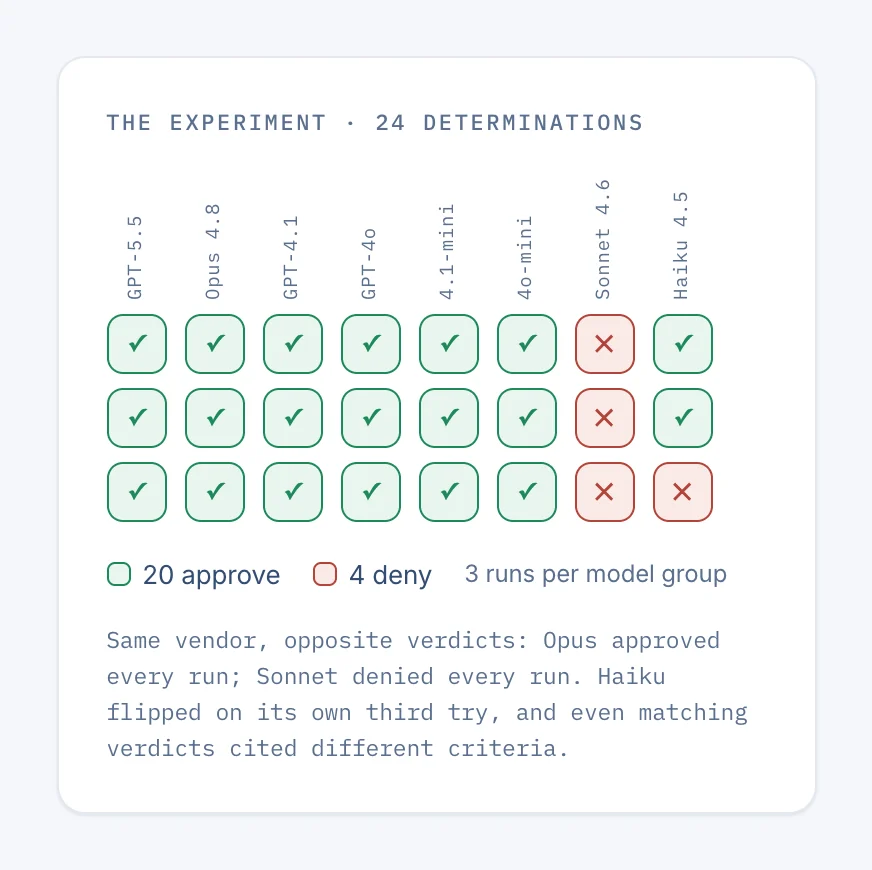
We tested this directly: we gave eight frontier AI models the same prior-auth packet and the exact text of the payer's published policy, three runs each. The 24 determinations split 20 approve to 4 deny, and even the models that agreed gave different reasons.
A good answer "Yes. The policy is turned into exact rules, and the same case against the same policy version always returns the same result."
A red flag "Our accuracy is very high." Accuracy on a benchmark is not the same as consistency on your case.
2. Does every answer show the chart evidence and the policy sentence behind it?
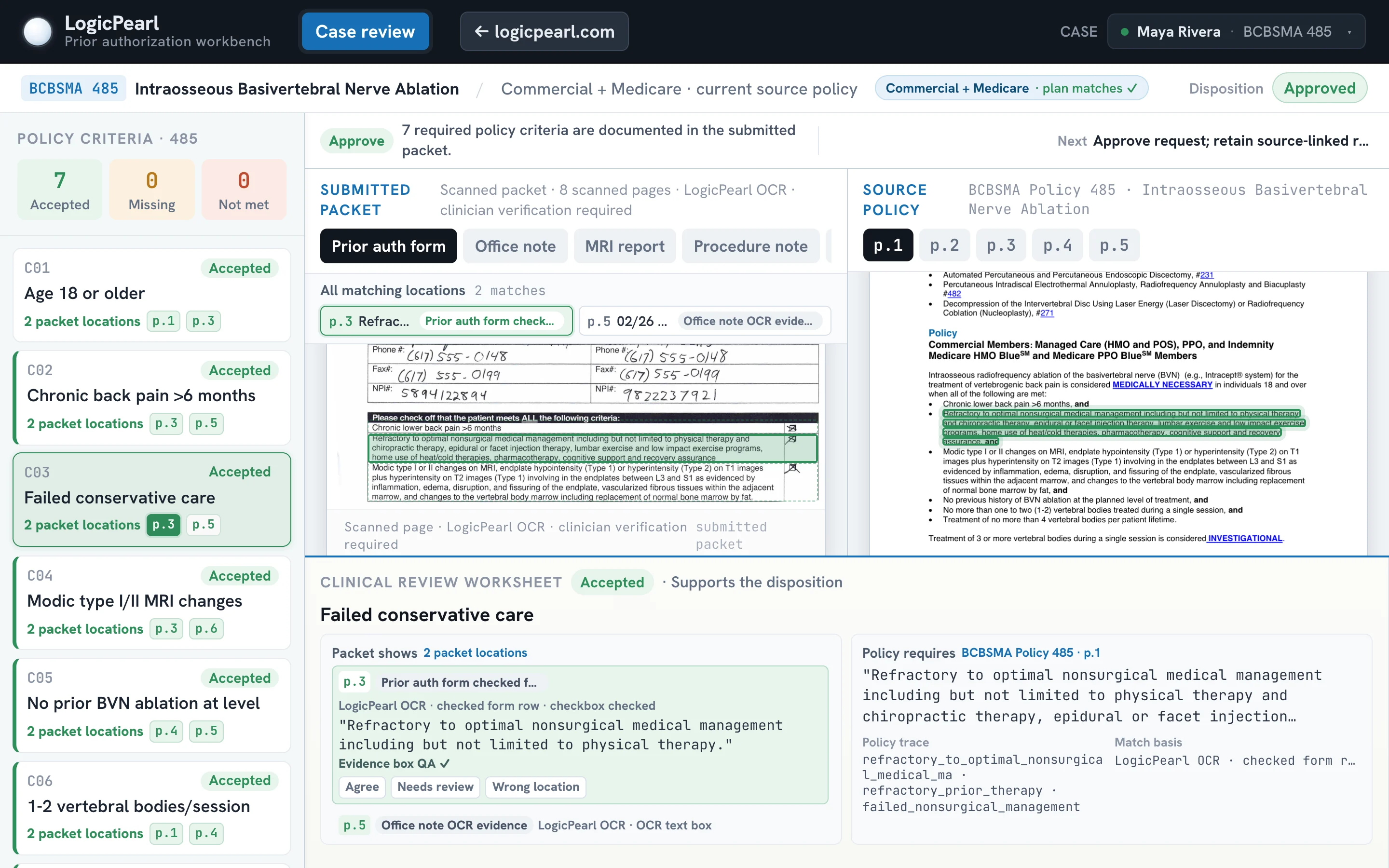
"Approved" or "denied" isn't enough. When a denial comes back, or an auditor asks why a case went through, your team needs to see why: which criterion, which sentence of the policy, and where in the chart the evidence is.
A good answer Each criterion is linked to the page and line in the chart that meets it, and to the policy text it came from. Criteria with no supporting evidence are flagged as missing, not quietly assumed.
A red flag A summary paragraph written by AI with no way to check it against the source.
3. How are equivalent codes and drug names handled?
A request can meet the payer's criteria and still get denied over wording. The policy names one drug; the order uses a brand name. The policy lists one code; the request uses an equivalent J-code. Payers' systems often look for one exact term.
A good answer The tool recognizes equivalent codes, drug names, and clinical terms, and shows you when it matched on an equivalent.
A red flag "We search the document for the code."
4. How fast do policy changes show up, and can you see which cases they affect?
Payers revise medical policies constantly, often without much notice. A tool that was right last quarter can be wrong today.
A good answer The vendor watches the payer's published policies, keeps every version, and can tell you which scheduled or open cases a change affects. It can also check a past claim against the policy version that was in force on its date of service.
A red flag "We update the policies periodically."
5. Does it work beside Epic and your current tools, or replace them?
Your team already has an EHR, probably a prior-auth or financial-clearance tool, and workqueues that work. Projects that require replacing those tend to stall, especially at health systems that are careful about change.
A good answer It plugs into what you have, through your existing prior-auth tool or Epic through FHIR, and can start as a trial on past cases without changing live work.
A red flag "Your team will work in our platform."
The five questions at a glance
| Ask | A good answer | A red flag |
|---|---|---|
| Will the same case always get the same answer? | Exact rules; the same case and policy version always return the same result | "Our accuracy is very high." |
| Does every answer show the chart evidence and the policy sentence? | Each criterion links to the chart page and line, and to the policy text | An AI-written summary you can't check |
| How are equivalent codes and drug names handled? | Equivalents are recognized, and flagged when used | "We search the document for the code." |
| How fast do policy changes show up? | Every version kept, affected cases flagged, date-of-service checks | "We update the policies periodically." |
| Does it work beside Epic and your tools? | Plugs into your prior-auth tool or Epic via FHIR; starts on past cases | "Your team will work in our platform." |
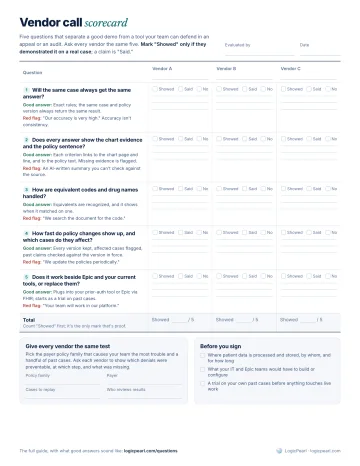 Vendor call scorecard
The five questions on one printable page: mark whether each vendor showed it or just said it, with room for notes on three vendors.
Download
Vendor call scorecard
The five questions on one printable page: mark whether each vendor showed it or just said it, with room for notes on three vendors.
Download
One more: start with the policy that hurts most
The fastest way to compare vendors is to give each one the same test: the payer policy family your team struggles with most, and a handful of past cases. Ask each vendor to show which denials were preventable, at which step, and what was missing.
That's also the easiest way to start with us. Tell us which policy hurts most, and we'll build a working demo from the payer's published policy. No patient data, no contract, and nothing for IT to review. You can also see how the matching works in the prior-auth demo, or read our plain-English glossary of the terms vendors use.